
Unified Import for Mixed Material Folders: Images, Excel, PDF, and Video
For folders containing images, Excel, PDFs, videos, screenshots, and subfolders, prepare the environment, add the root folder, wait for parsing, review extracted images, add search data, and refresh later changes.
For folders containing images, Excel, PDFs, videos, screenshots, and subfolders, prepare the environment, add the root folder, wait for parsing, review extracted images, add search data, and refresh later changes.
Real material folders often contain more than normal images. This workflow helps you index mixed-format folders in one pass.
1. Decide Whether Excel Parsing Is Needed
If the folder contains Excel workbooks with embedded images, confirm the spreadsheet environment first. If not, you can skip Excel-specific setup.
At the first-use question about parsing spreadsheets, choose Yes if you need Excel image locations and follow the environment guidance. This is an environment reminder, not the Excel parsing switch: No does not prohibit later spreadsheet parsing, and Yes does not guarantee successful extraction from every workbook. Re-enable the WPS reminder in Settings → General → Reminders when needed.

2. Choose the Correct Root Folder
Choose the project or material root folder that contains the files you want to manage. Avoid choosing a parent folder that is too broad and includes unrelated content.
Use Choose Folder, enable Include Subfolders when needed, select search capabilities, and click Start Adding. For a large mixed library, test a representative subfolder first.

The screenshot shows the feature choices before a folder is selected, so Start Adding is disabled. Choose your own source folder before starting.
3. Select Features by Use Case
Choose image search to find visually similar images. Add pose search for body posture and action matching. Add OCR for screenshots or documents with text. Add face data for portraits. For palette matching, enable Image Search and select its Global · Color strategy.
Choose semantic search when you want to describe the scene in words. OCR searches visible text; it does not replace semantic understanding. Enable the capabilities needed for your workflow first, because generating many feature types increases initial processing time.
Extracted spreadsheet/PDF images and sampled video frames also need the relevant search data. Video sampling does not guarantee every frame or scene is represented.
4. Wait for Background Tasks
Parsing PDFs, Excel files, and videos can take longer than normal images. Watch task progress until indexing finishes.
5. Review Split Images
For Excel, PDF, and video files, open split-image views to confirm the app extracted the images you need.
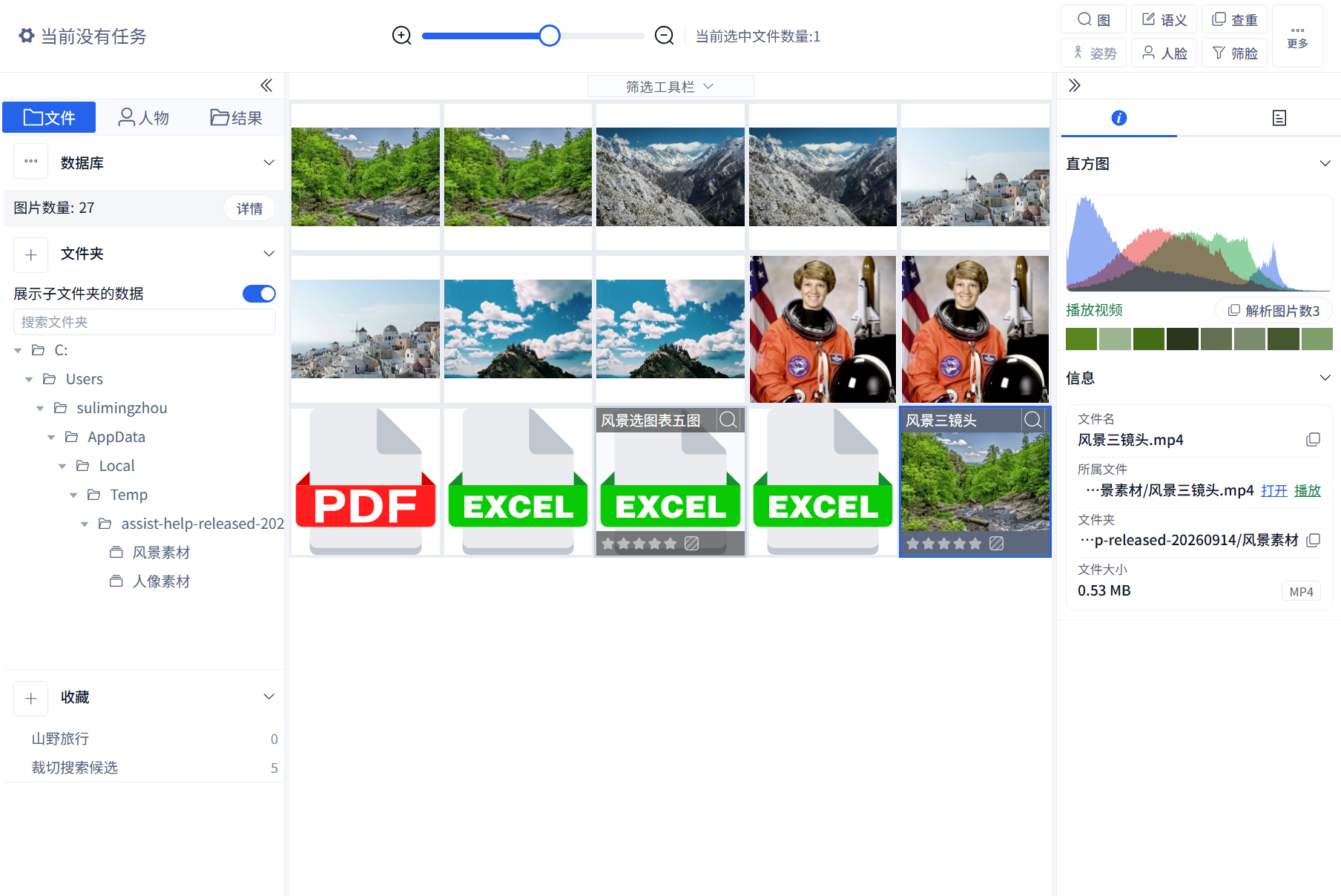
Select a file and click Parsed Image Count in the right detail panel when available. In the Excel split view, switch worksheets and inspect nearby rows, columns, and text to trace a product code, price, or note. The button is shown for multiple extracted images; a single extracted image also has no button. Check task status, image counts, and the source before diagnosing a failure. Excel opens the worksheet drawer; other multi-image files open an image-grid dialog.

The selected file above is a two-page landscape PDF. Each PDF page becomes one image with its text and layout preserved; multiple photographs on a page are not extracted as separate images. Opening the count shows the matching stream and mountain pages:

Excel uses a different view of worksheet content:
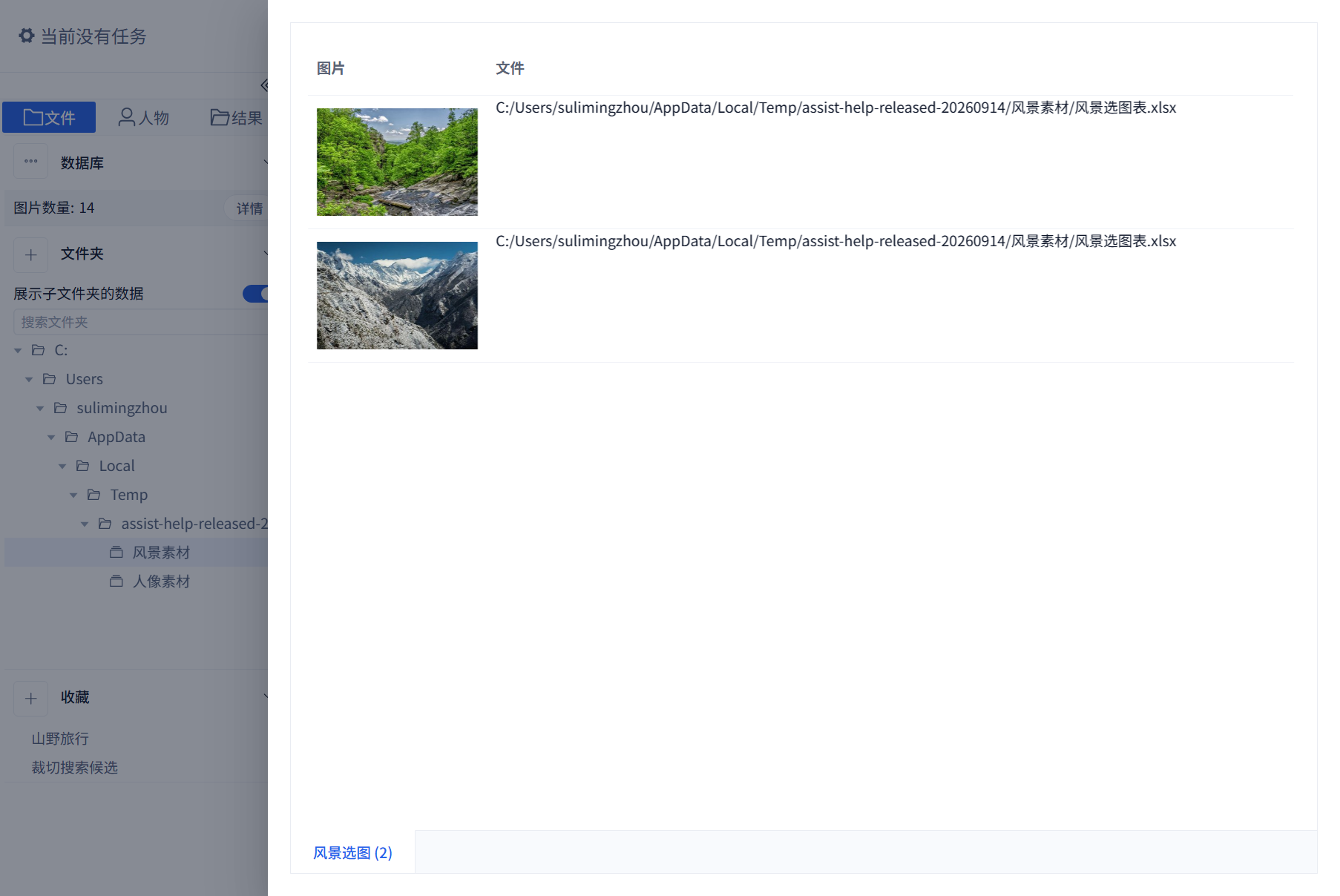
This two-image example shows only the pictures and source file. Its nearby names, uses, and notes were not associated. Correct image counts do not prove complete text extraction; open the original workbook to check missing fields.
A compatible five-image workbook can show the linked fields. In the example below, the stream, snowy mountains, seaside town and other pictures each have their own name, notes and use. Check the picture and text row by row after parsing, not just the total image count.

Video Frame Example
This nine-second video shows a stream, snowy mountains and a seaside town in sequence. Scene-change parsing produced three images, shown by the parsed-image count in the detail panel. Opening it displays the three matching scenes. This example does not guarantee complete scene coverage for every video: brief images, similar scenes and different sampling settings can produce different results. Play the source video to review its full content.

6. Review File Information and Colors
Use the detail panel to check dimensions, metadata, dominant colors, and parsing status.
Sample different file types and check their original paths as well. An update warning or failed preview can result from changed files, missing paths, or parsing errors; inspect an individual file before applying a bulk action.
7. Refresh When Files Change Later
When the source folder changes, use refresh database instead of adding the same folder again.
Choose Refresh Database from the database actions, set the scope and options, then start. Refresh synchronizes source changes without moving originals. Enable file-change detection for files replaced under the same name. Refresh does not automatically locate arbitrarily moved source folders. Check task errors, split images, and file details after completion.
Image-result export outputs extracted images, not the whole source workbook, PDF, or video. For a complete source delivery, check its path and use file operations; back up originals separately.
Mixed Library Suggestions
Start with the core search strategies you need most. Add heavier features later if the folder is large.
Common Cases
- Excel images missing: check the spreadsheet environment, whether the file is encrypted, and whether its images are actually embedded.
- Video thumbnails missing: re-parse the file or check video support.
- Search data missing for extracted images: refresh or rebuild the required strategy.
RAW search inputs
From 3.13.27, image, reference-face and pose search accept CR2, CR3, NEF, ARW, DNG, RAF, ORF, RW2 and PEF through file selection, drag-and-drop and file paste. Reading a reference file does not import your library: prepare its matching search data first. Copying a path as text is not the same as copying the image file.