
View Task Progress and Cancel Tasks
Use the top task area to watch progress, elapsed time, and dynamic remaining-time estimates; cancel a task only when cancellation is supported.
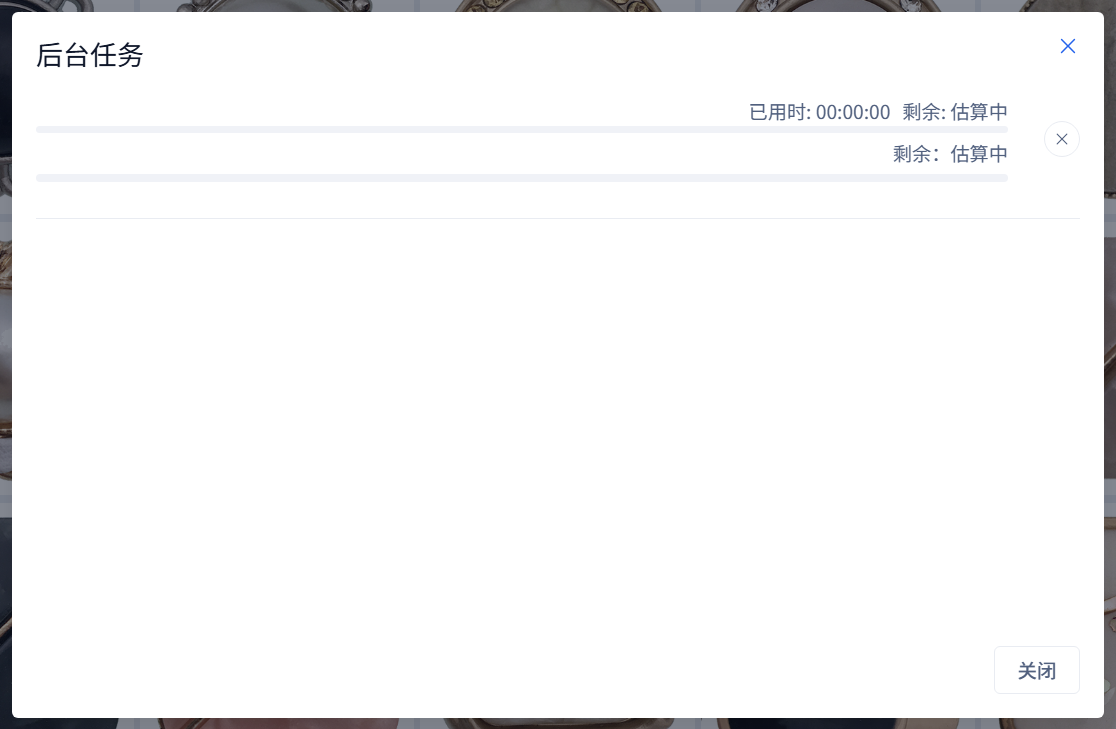
Use the top task area to watch progress, elapsed time, and dynamic remaining-time estimates; cancel a task only when cancellation is supported.
Long operations run as background tasks. The progress area helps you see what is happening.
View Tasks
- Start an add, refresh, rebuild, face, OCR, or other long task.
- Look at the top task progress area.
- Open the task list when you need more details.
- Review main and sub-progress, Elapsed, and the dynamic remaining-time estimate.
At startup or while processing speed is unstable, remaining time displays Estimating. When a step has not advanced for a while, the app may explain that it is taking longer. Increasing elapsed time alone does not prove that processing is progressing: also check current-file changes, main/sub-progress, and any error. Keep the error details and package logs if the task remains unresponsive.
Cancel a Task
If a task supports cancellation, use the cancel action in the task list. Some tasks may need time to stop cleanly.
A waiting cancel button does not prove the task has stopped. Wait for completion or a cancellation result before starting work that depends on it ending. Cancellation does not roll back completed imports or file processing; review what finished before choosing the remaining scope.
Common Cases
- If progress seems stuck, wait a little longer for large files or CPU-heavy tasks.
- If cancellation is unavailable, the task must finish or reach a safe stopping point.
- Closing the task window does not stop its tasks. After cancellation, inspect the completed data before selecting a refresh or repair to fill specific gaps.
- When no task is running, the dialog shows that there are currently no background tasks.
Tasks after a page reload
From 3.13.30, the interface reclaims tasks still running in the local service after a page reload. Check recovered progress before submitting again. App exit, local-service exit and cancellation are different: recovery of an active task does not guarantee resumability after those events. Display-awake behavior is in Settings → General → Appearance.