
Tune Local Search with Keypoint Previews
Preview keypoints and heatmaps, tune feature limits and distribution, and understand saved settings and existing-library reprocessing.
Preview keypoints and heatmaps, tune feature limits and distribution, and understand saved settings and existing-library reprocessing.
Keypoint previews are available from 3.13.31. Open Settings → Local · Keypoints and click Debug beside Keypoint extraction.
Preview a representative image
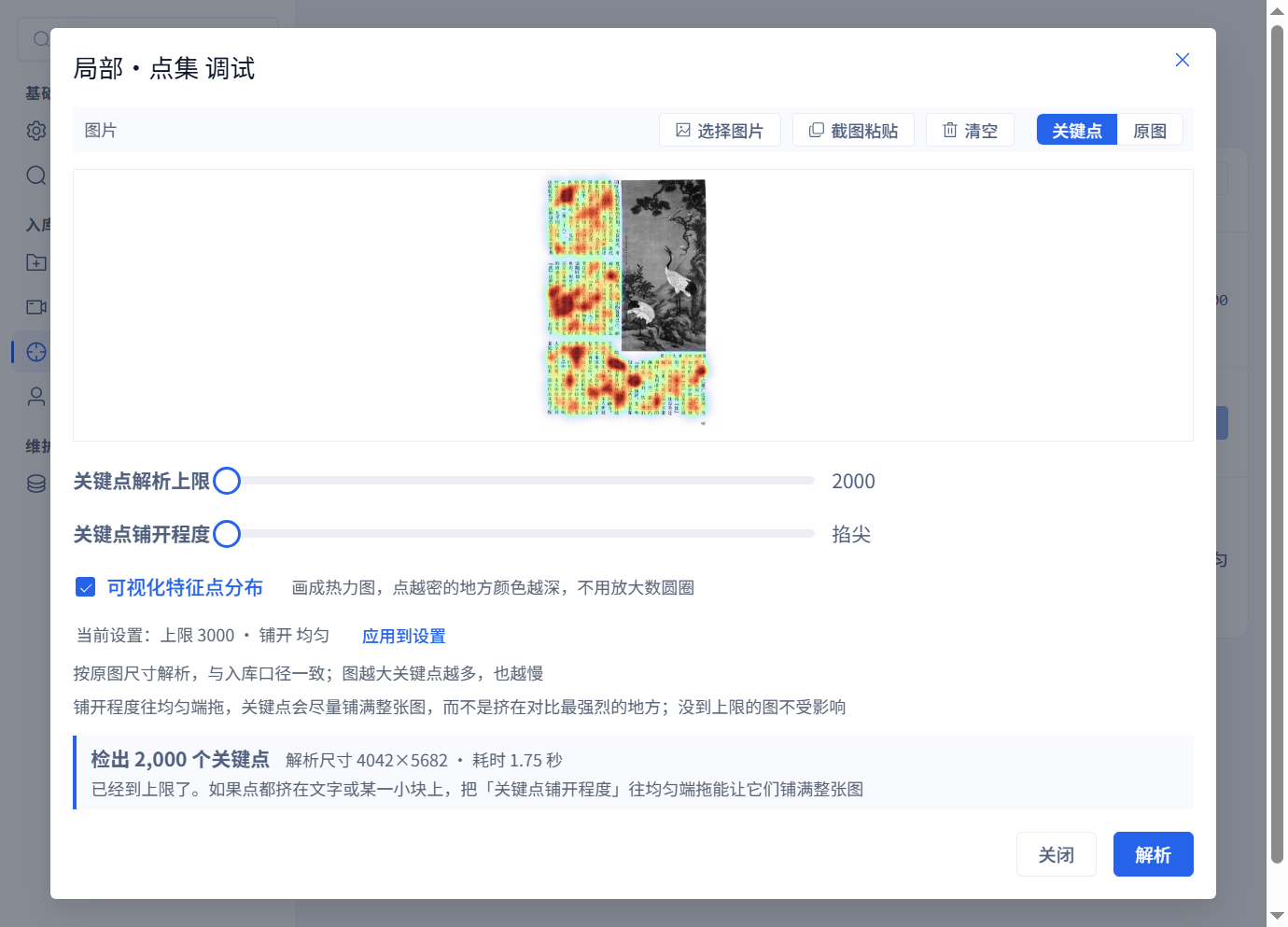
Choose, drop or paste an image and click Parse; no import is required. Switch between the source and keypoints. Enable feature distribution visualization for a heatmap. Multi-image files such as spreadsheets, PDFs and videos first offer images to choose from.
Compare the same page
Both screenshots use the same book page with a limit of 2000. The first favors the strongest points; the second uses uniform distribution and is parsed again. Both reach 2000 points. Compare where the points fall in the text and picture regions.
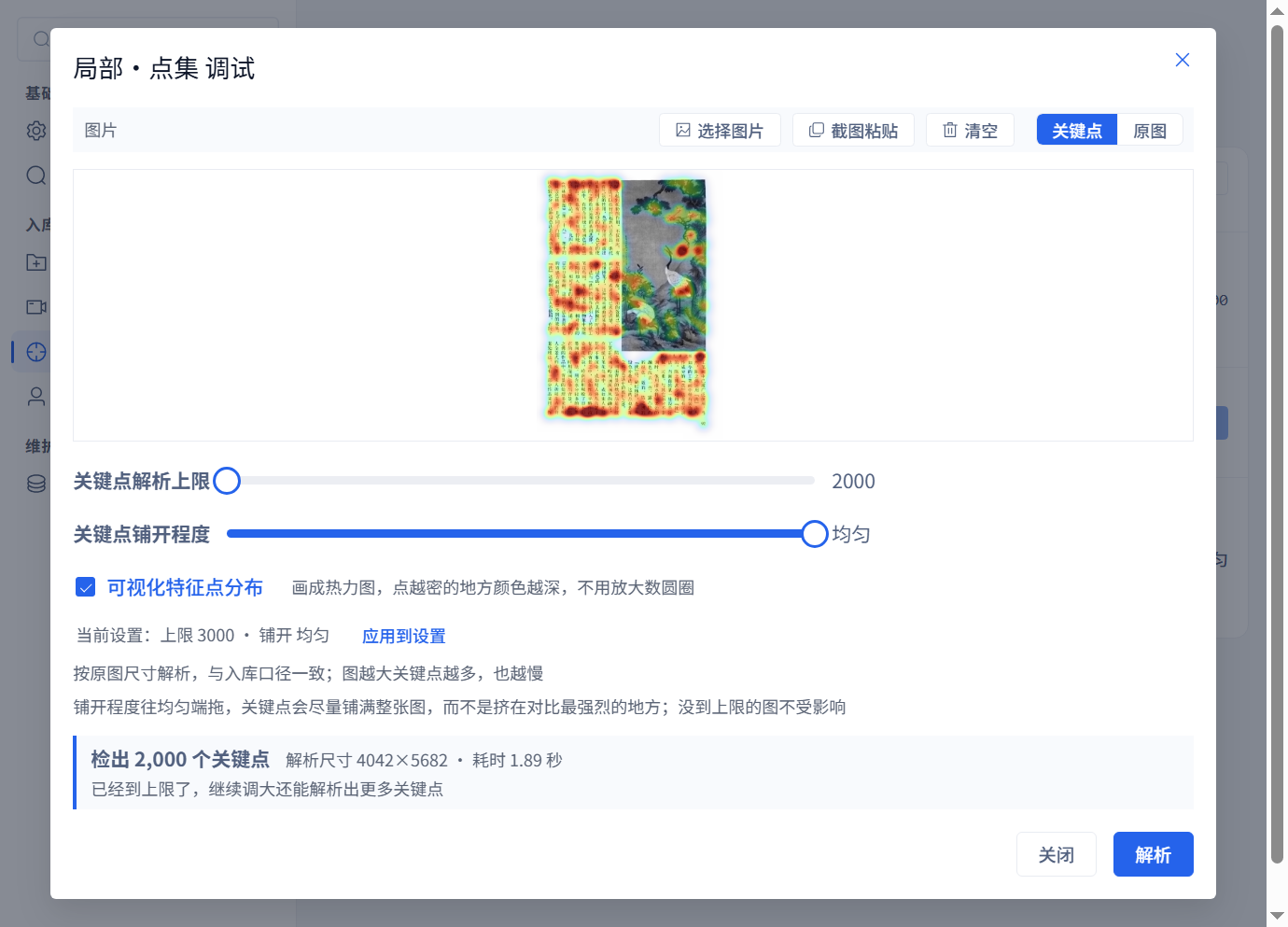
This demonstrates distribution changes, not improved search accuracy. Reprocess representative library images and run actual searches to evaluate retrieval.
Understand the parameters
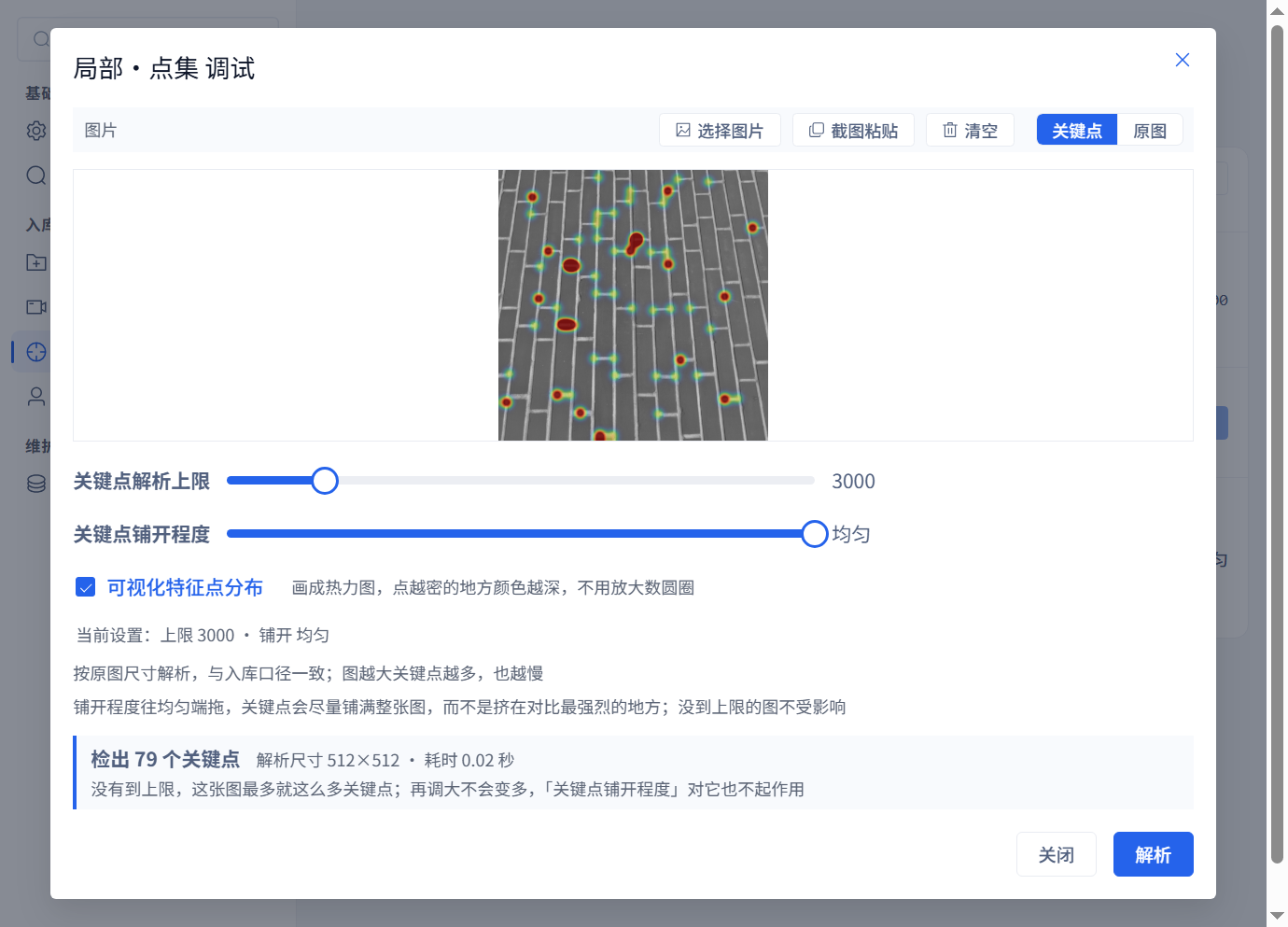
The point limit caps retained features; more features cost processing and storage. Uniform distribution helps when strong text strokes consume most of the allowance. If an image has fewer points than the limit, raising the limit does not create points and distribution settings do not affect it.
Apply and reprocess
Parse previews the current image. Apply to settings saves the parameters; both require a restart. Closing without applying leaves saved values unchanged. Existing library images are not automatically recalculated: restart, then use the relevant repair or reprocessing flow, trying a small scope before the full library.
Planned for 3.14.0
Index status, an index-optimization button for eligible libraries, and automatic search effort are planned for 3.14.0 and are not yet released. Index optimization does not re-extract image keypoints and is not a prerequisite for 3.13.31 tuning.