
Compare Two Faces: Selection, Similarity and Thresholds
Compare face pairs from two photos and understand face selection, scores and thresholds.
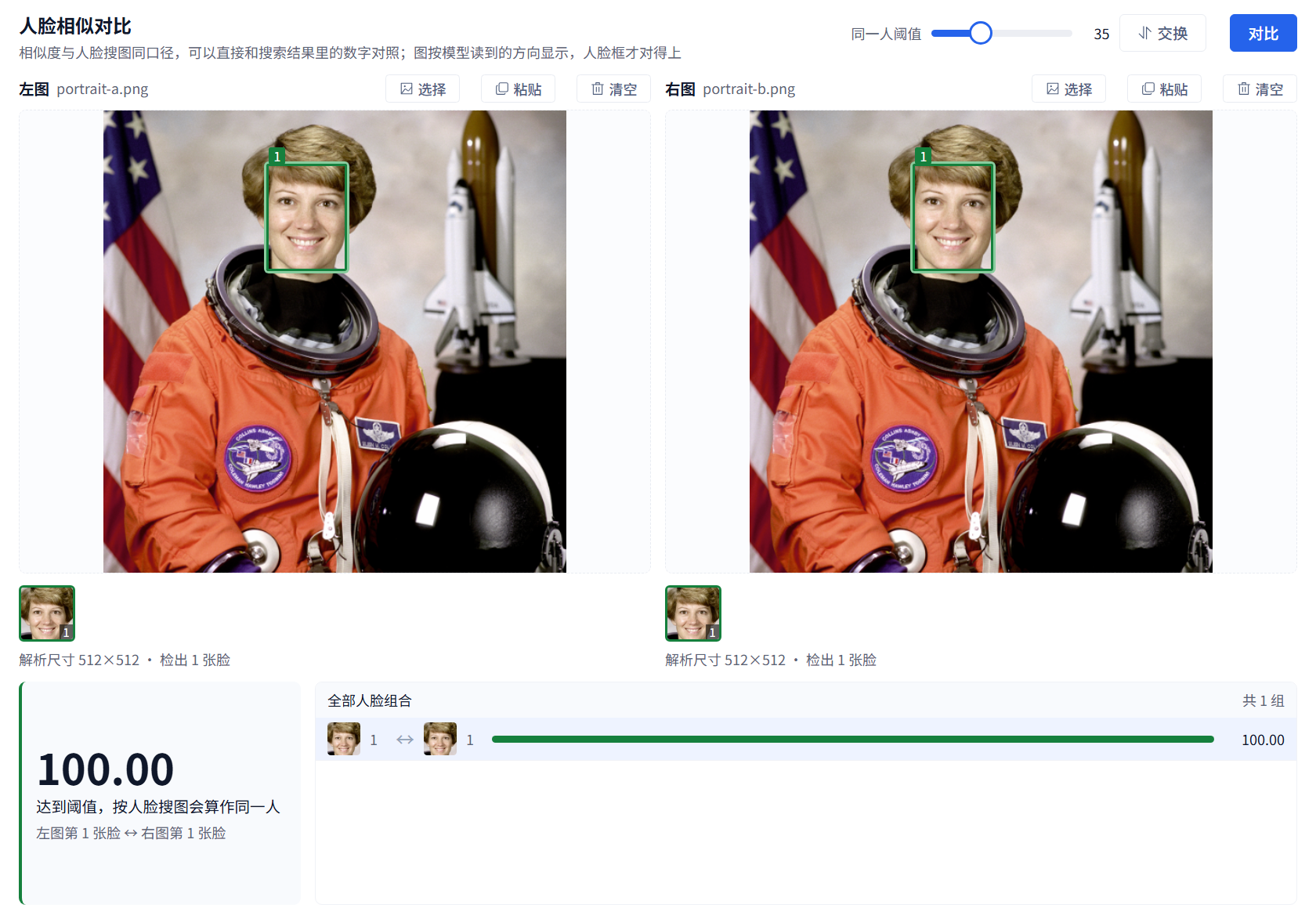
Compare face pairs from two photos and understand face selection, scores and thresholds.
Available in 3.13.31 and later. Open Tools → Face similarity comparison, or bring the selected workspace image from its detail panel.
Select the intended pair
Choose, drop or paste one photo on each side and click Compare. Detected face pairs are ranked by similarity. For group photos, click a face box, face thumbnail or result row to select the actual pair you want to inspect.
The example uses identical copies of the NASA astronaut sample distributed with scikit-image. It illustrates the interface, not recognition accuracy for different photos.
Thresholds
Raising the same-person threshold makes acceptance stricter; lowering it accepts more pairs. Moving the threshold does not change an already calculated score. Scores share the face-search scale, but are not probabilities of identity. Review the images and selected face numbers yourself.
If no face is detected, try a clearer, larger, less obstructed face. Missing detection does not prove different identities. Compare again after replacing or swapping photos. To find someone throughout your library, use workspace Face search.